How your browsers finds the right server
When you type www.example.com into your browser, you probably don’t think twice about what happens next. Your browser doesn’t speak in domain names though — it needs an IP address. DNS is what bridges that gap, and understanding how it works demystifies something your computer does thousands of times a day.
The Four Servers Behind Every Lookup
A DNS query doesn’t go to a single server — it travels through a chain of four, each one narrowing things down a little further.
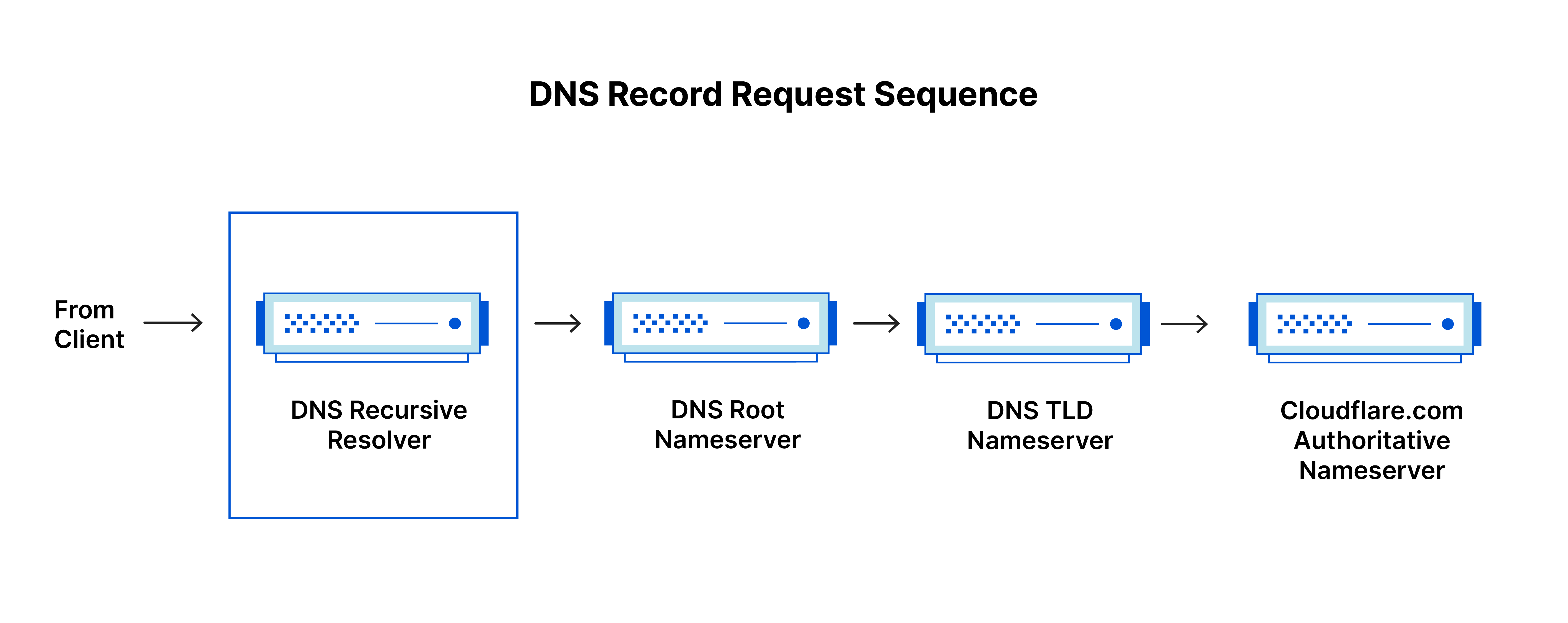
DNS Recursor
This is the first stop. Think of it as a librarian you hand your request to. When your browser asks for www.example.com, the recursor receives that query and takes responsibility for tracking down the answer, checking its cache of recently resolved addresses along the way.
Root Nameserver
If the recursor doesn’t have the answer cached, it asks a root nameserver. The root doesn’t know the IP address you’re after, but it knows where to point you next — think of it as the index at the front of a library that tells you which section to head to. TLD Nameserver — The root points the recursor toward the Top Level Domain nameserver, which handles the last piece of the domain name. For example.com, that’s the .com TLD server. It narrows things down further, pointing toward the specific nameserver responsible for example.com.
Authoritative Nameserver
This is the final stop. The authoritative nameserver holds the actual DNS record for the domain and returns the IP address back to the recursor, which then passes it along to your browser.
How a Lookup Actually Happens
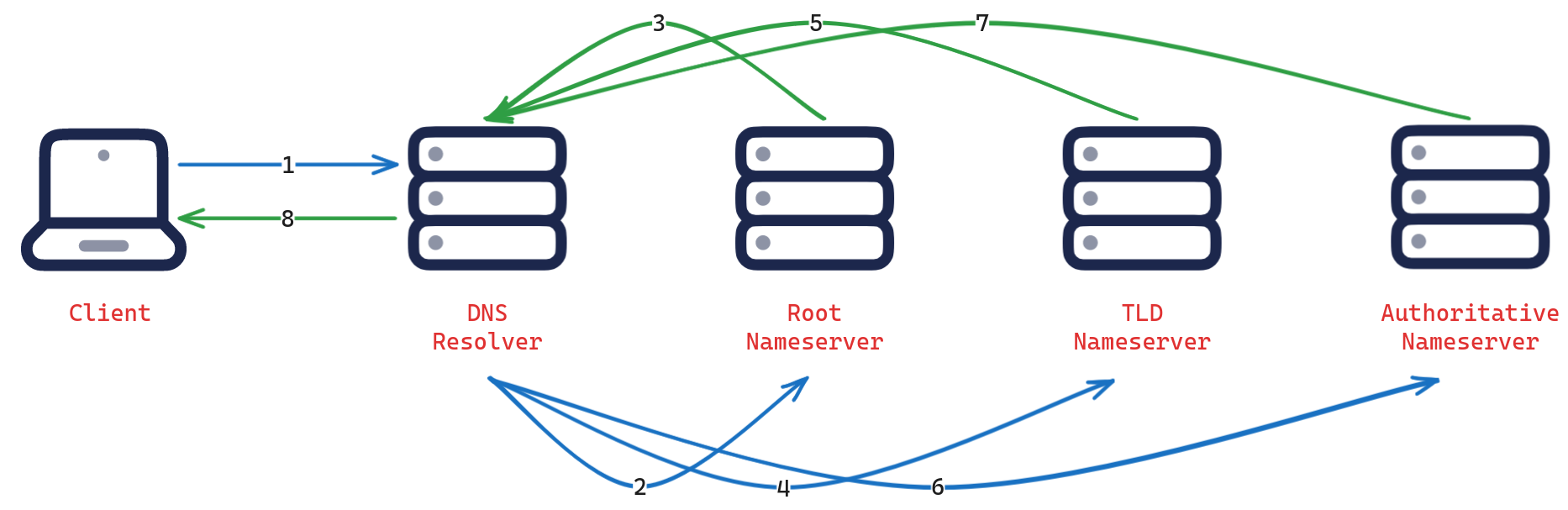
You type www.example.com into your browser. The request goes out to the DNS recursive resolver. The resolver asks a root nameserver. The root nameserver points the resolver toward the .com TLD server. The resolver asks the .com TLD server. The TLD server responds with the address of the authoritative nameserver for example.com. The resolver queries the authoritative nameserver. The authoritative nameserver returns the IP address for www.example.com. The resolver hands that IP address back to your browser, which can now make the actual request.
All of this happens in milliseconds, every time you visit a site you haven’t been to recently. Once resolved, the address gets cached at various points along the chain so the full lookup doesn’t need to happen again for a while.